
High performance
24/7 technical support
Money-back guarantee
FREE migration assistance
Our Windows VPS servers offer high responsiveness and performance. They are designed to support web hosting, apps, and high-level database systems thanks to their scalability and maximum efficiency.
Why our Windows VPS?
Not all Windows VPSs are created equal. The details are what make the difference.
Our Windows VPS servers have the latest operating system version, managed by our technicians according to your needs, with licenses, scalable... and if that weren't enough, very competitively priced.
High-performance Windows VPS
Performance, along with stability, is probably the most demanded requirement by our customers. High speeds combined with low latency and response time make us one of the benchmarks in the market.
Windows licenses
Windows VPS servers require specific Microsoft licenses. Other providers will only offer the server, leaving all the configuration and internal license acquisition to you.
Not in Almazena. With our solutions, we provide you with all the software you need, along with official licenses.
Scalability
Dying of success should not be an option.
Any serious online project must plan for what will happen when visitor traffic increases exponentially. Having a fast response in terms of scalability on a Windows VPS server will prevent the project from being unable to meet the demand of new users.
Managed Windows VPS
Our technical team is among the most highly regarded in the industry. We put them at your disposal so you don't have to worry about server maintenance, management, or configuration.
Economically very competitive
All the benefits of our Windows VPS are available in plans with very competitive prices that adapt to the needs of all projects. Contact us.
Monitoring
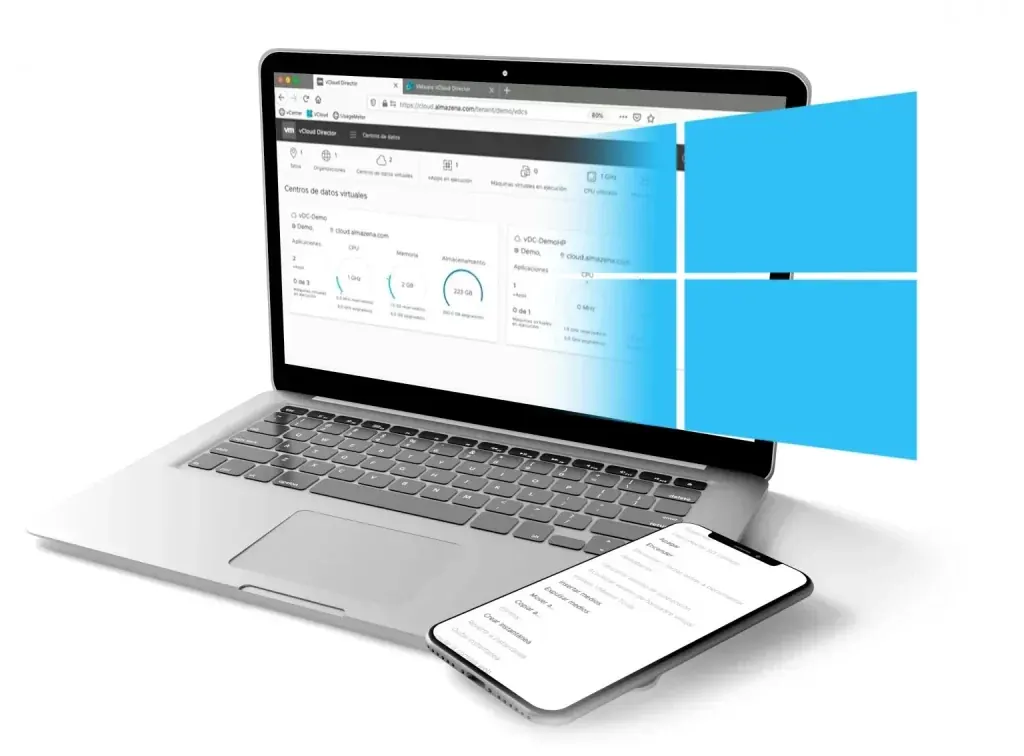
View tasks and events, manage blocking tasks, and view usage information for your Windows infrastructure and VPS .
What is a Windows VPS and how does it work?
A Windows VPS (Virtual Private Server) is an isolated portion of a physical server running Windows Server (2016/2019/2022/2025) that provides dedicated resources— CPU, RAM, storage, and network —within a virtualized environment. Unlike shared hosting, where multiple clients share the same resources and configuration, a VPS gives you your own operating system, administrator access ( local administrator privileges ), and the full ability to install roles, features, and applications such as IIS, .NET, SQL Server , or Remote Desktop Services (RDS) .
Virtualization can be supported by hypervisors such as VMware ESXi, Microsoft Hyper-V, or KVM . These allow physical hardware to be partitioned into independent virtual machines, applying performance guarantees (reservations and limits), security isolation, and high availability (when the platform supports it) to minimize the impact of hardware failures.
From an operational point of view, you will work with:
-
Remote access via RDP (Remote Desktop Protocol) with administrator credentials.
-
Provider web console to restart, shut down, or access the screen even if RDP is unresponsive.
-
Firewall and network policies to expose only essential ports (RDP, HTTP/HTTPS, SQL if applicable).
-
SSD/NVMe storage to improve disk latency and response times.
-
Backups and, in advanced environments, replication to another data center.
This model offers the control of a dedicated server but with the elasticity of the cloud: you can scale vertically (more vCPU, RAM, disks) or change plans without traumatic migrations, pay monthly and add Microsoft licenses as needed.
Key advantages of a Windows VPS for businesses and professionals
-
Total control of the environment
Install exactly what you need: IIS for ASP.NET websites , .NET Runtime , MSMQ , FTP , Active Directory Lightweight Directory Services (AD LDS) , PowerShell Desired State Configuration (DSC) , monitoring agents, and security tools. You can define local policies, service accounts, and schedule tasks without the typical restrictions of shared hosting. -
Compatibility with Microsoft technologies
Many enterprise applications are designed for Windows Server : on-premises ERP/CRM , line-of-business apps in .NET Framework/ .NET 8 , WCF services , Report Server , IIS URL Rewrite , Web Deploy , SQL Server Express/Standard and Active Directory (as a domain member or additional controller in very specific scenarios). -
Predictable performance
With dedicated vCPUs and RAM , your app won't compete aggressively with noisy neighbors. If the provider uses NVMe and internal 10–40 Gbps networks, you'll see improvements in compile times, SQL queries, and IIS throughput . The result: faster pages and APIs, better Core Web Vitals , and higher conversion rates. -
Scalability and pay-per-use
Start with a modest plan (for example, 2 vCPUs and 4–8 GB of RAM ) and scale as traffic, RDP sessions, or database size grow. Add data disks, increase IOPS, incorporate a load balancer, or create replicas to separate the front end (IIS) and back end (SQL). -
Security and compliance
You can apply CIFS/SMB hardening , harden RDP with NLA and MFA , activate Windows Defender with EDR , configure BitLocker (when the hypervisor allows it), use TLS 1.2/1.3 , HSTS in IIS, and event auditing to comply with frameworks such as ISO 27001, ENS , or customer requirements. -
Cost optimized compared to a dedicated
You get server performance at a lower cost than dedicated hardware, without investing in equipment purchases/upgrades, electricity, or cooling. The managed model further reduces internal overhead, as the provider handles critical OS patches, monitoring, and incident response.
Typical use cases for a Windows VPS
-
Website and API hosting on IIS
Ideal for ASP.NET/.NET 8 , legacy WebForms , or WCF . You can configure isolated Application Pools , ARR + URL Rewrite for basic load balancing, and HTTP compression to improve load times. -
.NET Enterprise Applications
ERP/CRM, intranets, document portals, and Active Directory integration services. Control over local GPOs , certificates , and MSMQ queues simplifies deployments. -
Remote desktop and teleworking
With RDP and, if applicable, RDS (Remote Desktop Services), you can provide desktops and applications to remote users with Group Policies , roaming profiles, and FSLogix . Add MFA and a gateway for enhanced security. -
Microsoft databases
SQL Server in Express editions (free with limitations) or Standard/Enterprise editions with appropriate licenses. Useful for SMEs that require reporting , SSIS , or basic replication without adopting PaaS. -
Integration and automation services
Scheduled jobs with Task Scheduler , PowerShell for CI/CD , integration with Azure DevOps/GitHub Actions using self-served runners and build agents. -
Legacy applications
If your software requires COM+, .NET Framework , or legacy components, a Windows VPS allows you to keep them running while you plan for a phased upgrade.
How to choose a Windows VPS (ultimate technical checklist)
1. vCPU and architecture
-
Choose 2 vCPU as a base for modest websites and increase to 4–8 vCPU when there are concurrent spikes or intensive batch processes .
-
Check the CPU generation (Zen 3/4, recent Intel Xeon Scalable) and the vendor's overcommit policy.
2. RAM Memory
-
For IIS + .NET apps, 8 GB starts as a minimum. Add more memory if you're using SQL Server in the same VM: 16–32 GB is typical for medium workloads.
-
Reserve margin for caches , workers , and indexing processes .
3. Storage
-
Prioritize NVMe and require IOPS SLAs or guidance metrics.
-
Separate OS and data onto different disks: C: for system, D:/E: for IIS, logs, SQL data and backups .
-
Request snapshots and copies in secondary repository (3-2-1).
4. Network
-
Symmetrical bandwidth without severe limits.
-
Additional IP options to isolate services, site-to-site VPN or WireGuard /IPsec to connect sites.
5. Licensing
-
Clarify whether the plan includes a Windows Server license (SPLA/hypervisor) and, if you'll be using SQL Server or RDS CALs , how these costs are factored in. Avoid surprises on your bill.
6. Support and administration
-
Does it include 24x7 monitoring , OS patching , incident response , and restores ?
-
A managed VPS is ideal if your team doesn't want to manage the system at a low level.
7. Security and compliance
-
Perimeter firewall , WAF for web applications, MFA and RDP hardening (standard port blocked and access via VPN).
-
Antimalware/EDR , patch management and CIS Benchmarks or equivalent.
-
Ubicación de centros de datos y certificaciones (p. ej., ISO 27001).
8. Availability and SLA
-
Check the SLA (e.g., 99.9%-99.99%), host HA , and support response times.
-
Ask about live migrations , live resize , and scheduled maintenance .
Security and compliance in Windows VPS: from theory to practice
-
System hardening
-
Disable SMBv1 and obsolete protocols.
-
Ensures TLS 1.2/1.3 , Perfect Forward Secrecy and modern suites.
-
In IIS, it applies HSTS , OCSP Stapling , request limits, and Request Filtering .
-
Secure RDP by Design
-
Enforce NLA , MFA (via Azure AD/Entra ID or external provider) and restrict RDP to VPN or bastion .
-
Changing the port is only an additional measure; it is not a defense in itself.
-
Enables brute force protection (Account Lockout) and prevents exposing privileged accounts.
-
Principle of least privilege
-
Use specific groups for administrators, service accounts with minimal permissions, and UAC enabled.
-
Separate environments (production, staging, development) and use labels for governance.
-
Updates and patches
-
WSUS/Windows Update for Business program or centralized provider management.
-
Maintenance windows with rollback prepared (previous snapshot).
-
3-2-1 Backups
-
Three copies, on two different media, one off-site .
-
Test periodic restorations and document RTO/RPO.
-
For SQL, combine full + differential + log and validate integrity ( DBCC CHECKDB ).
-
Registration and monitoring
-
Centralize Event Logs , IIS logs , and WMI on a SIEM platform or managed solution.
-
Alerts for CPU, RAM, disk, 5xx errors , application queues, and RDP latency .
-
APM telemetry for .NET code: response times, failures, and dependencies.
-
Compliance and audit
-
Document policies , network diagrams , applied controls , and evidence .
-
If you process personal data, incorporate GDPR measures : encryption, access logging, processing agreements and data retention .
Optimization and best practices for performance on Windows VPS
IIS and .NET
-
Configure separate Application Pools per application and use integrated mode .
-
Enables dynamic/static compression , output caching , and HTTP/2/3 if available.
-
Use ReadyToRun and Tiered Compilation in .NET 6/7/8 to improve warm-up.
-
Keep maxConcurrentRequestsPerCPU and queueLength adjusted to your traffic pattern.
SQL Server on the same VPS
-
If it coexists with IIS, reserve memory for SQL and limit Max Server Memory .
-
Separate disks for data, logs, and tempdb ; enables Instant File Initialization .
-
Monitor fragmentation of indices and statistics.
RDP/RDS
-
Enable UDP for RDP (improves latency), use FSLogix in profiles and policies for printing/clipboard based on risk.
-
Control inactive sessions and reconnection limits .
Automation
-
PowerShell scripts for repeatable deployments; consider DSC or Ansible (Windows) for idempotence.
-
Use ARM/Bicep or Terraform templates if integrating with public clouds; in private cloud, use the provider's API.
Observability and SRE
-
Define SLOs (e.g., monthly error budget) and use a metrics funnel : system → platform → application → user experience.
-
Incorporate canary releases or blue/green to minimize deployment risks.
Frequently Asked Questions about Windows VPS
What is the difference between a Windows VPS and shared hosting?
A VPS gives you dedicated resources, administrator access, and complete freedom to configure the system. With shared hosting, you can't install server software or modify the operating system.
Which version of Windows Server is best in 2025?
For most cases, Windows Server 2022 or 2025 is recommended due to its extended support, security, and compatibility. Keep your frameworks up to date and assess dependencies before migrating.
Can I run SQL Server on my VPS?
Yes. Make sure to size RAM and disk space and manage licenses. For critical workloads, consider separating the database into another VM or managed service.
How do I access the VPS for the first time?
Your provider will give you a public IP address, administrator username, and password . Connect via RDP from Windows, macOS, or Linux. Change your credentials and apply MFA as soon as possible.
What minimum resources do you recommend?
For lightweight websites and APIs: 2 vCPUs and 8 GB of RAM . With SQL Server or RDS for multiple users, start at 4 vCPUs and 16–32 GB . Adjust after measuring.
Does the provider include a Windows license?
It depends. Many plans include the SPLA/hypervisor license . Other licenses (e.g., SQL Server or RDS CALs ) may be billed separately.
How do I protect RDP?
Restrict access via VPN/bastion , enforce NLA + MFA , log login events, limit login attempts, and consider IP whitelisting .
What backups do I need?
Follow the 3-2-1 rule, with frequent snapshots and off-site backups. Test restores and define realistic RTO/RPO for your business.
Can I migrate from another provider without downtime?
With a well-planned maintenance window , data synchronization , and DNS switching with low TTL, downtime can be minimal.
What are the differences compared to a dedicated server?
Dedicated servers offer exclusive hardware, but are less flexible and typically have a higher initial cost . VPS servers share a physical host but maintain isolation and elasticity .
Windows VPS as a solution
A Windows VPS gives you the ideal balance of control, performance, and cost for running Microsoft applications, providing remote desktops , hosting websites on IIS , and securely centralizing corporate services. To make the right choice:
-
Size with data: user volume, concurrency, database size, peaks and seasonality.
-
It requires NVMe , clear SLA , 3-2-1 backups, and scaling options.
-
Secure the environment from the first minute: VPN + MFA , patching, EDR and hardening of IIS/RDP/SQL.
-
Automate deployments with PowerShell/DSC and monitor key metrics to make informed decisions.
With a solid technical foundation, your Windows VPS server can grow with you: from a simple ASP.NET site to an enterprise stack with high availability, regulatory compliance and efficient operations.